DevOps and CI/CD
Builds, tests, and deployments that run on their own — so the team can ship often, safely, and without manual steps only one person knows.

Tools and frameworks we use
- Azure DevOps Pipelines
- GitHub Actions
- Docker
- docker-compose
- Azure Container Registry
- Vercel
- Fly.io
- Caddy
- systemd
- Xcode and Gradle signing
- TestFlight
- Google Play
- Firebase App Distribution
- GitVersion
- SonarQube
- CodeQL and GitHub Advanced Security
- Husky and pre-commit
- Unleash
- OpenTelemetry
- Application Insights
- Grafana
- Microsoft Teams
DevOps that makes releases boring
When a release needs a checklist, a specific person, and a quiet Friday, it happens less often than it should. We build pipelines that make builds, tests, and deployments run the same way every time. We have worked with hundreds of YAML pipelines and templates in Azure DevOps for a large platform, and with GitHub Actions, Vercel, and Fly.io in smaller projects.
We have also built an internal bot that posts pull request, deployment, and release notifications to Microsoft Teams, so the team can see what is happening without watching several tools.
Choices we make when designing CI/CD pipelines
A pipeline is code the whole team depends on, and it deserves the same care as the application. These are the choices we make most often:
- Build once, deploy many times. The same artefact or container image is promoted from test to production, rather than rebuilt for each environment.
- Shared templates over copying. Common build, test, and deployment steps live in versioned templates in Azure DevOps or reusable workflows in GitHub Actions, so an improvement reaches every pipeline at once.
- Federated identity instead of stored secrets. Workload identity federation with OIDC lets the pipeline sign in to Azure without keys that need rotating.
- Fast feedback on pull requests. Linting, unit tests, and security scanning run on every change, while heavier integration and load tests run before production.
- Versions from Git. GitVersion derives the version number from history, so nobody has to remember to bump it.
The goal is that a new service gets a working pipeline by adopting existing templates, not by writing everything from scratch.
CI/CD for apps, services, and your own servers
Mobile apps have their own needs. We automate signing in Xcode and Gradle and distribution to TestFlight, Google Play tracks, and Firebase App Distribution, so testers and users get new versions without manual uploads.
Not everything needs a large cloud platform. For smaller services we run containers on a VPS with Caddy, systemd, backups, and deploy webhooks, or on Fly.io. We also ship our own open source as a Docker image and a StartOS package, so others can run it themselves.
Typical engagements
CI/CD from scratch
We set up builds, tests, and deployments in Azure DevOps or GitHub Actions, with approval before production where needed.
Automated app releases
We automate signing and distribution for iOS and Android, with TestFlight, Google Play tracks, and Firebase App Distribution.
Containers and lean operations
We package services in Docker and run them on Azure, on Fly.io, or on your own VPS with Caddy, systemd, backups, and deploy webhooks.
Quality and visibility
We add code analysis, security scanning, feature flags, and monitoring, so the team can see what is happening and roll out gradually.
Relevant experience
Projects and open-source work where the technology has been used in practice.
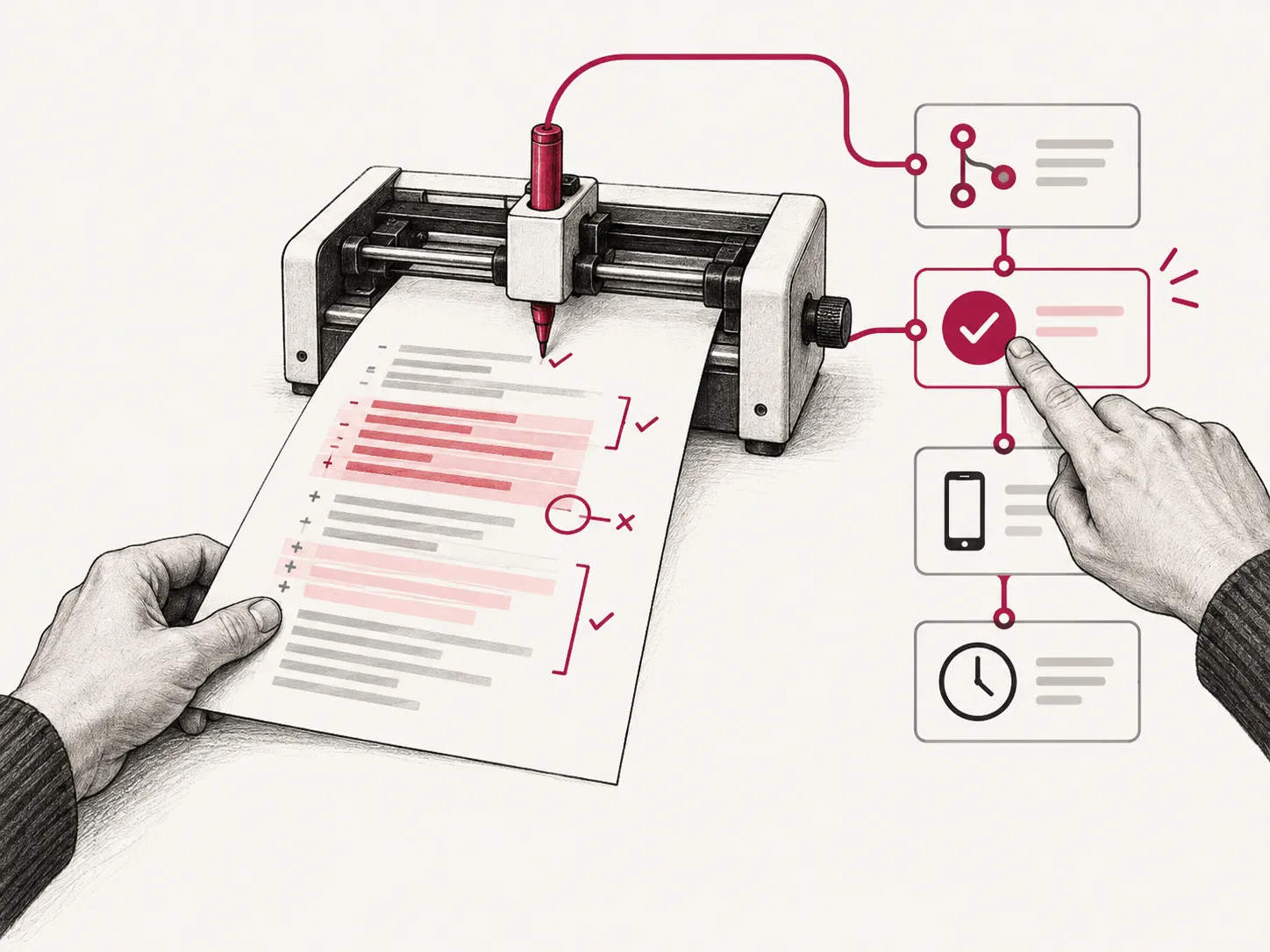
An AI assistant that reviews code and keeps the team informed
We built a TypeScript service on Azure that posts pull request, deployment, and app release notifications to Teams, and reviews code changes using language models from Azure AI Foundry.
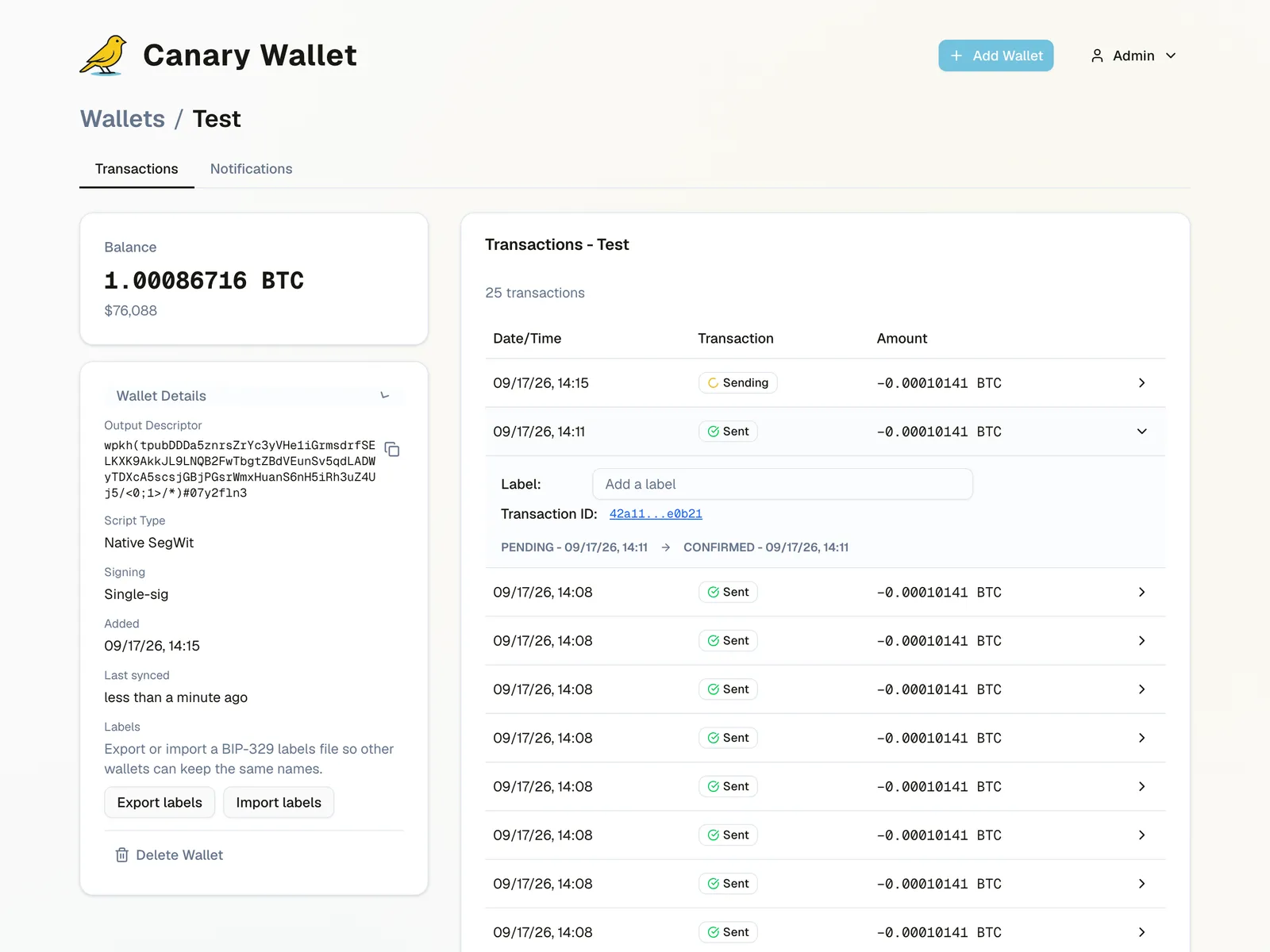
Canary: alerts when bitcoin in cold storage moves
We built Canary, a self-hostable and hosted bitcoin monitoring service with a Rust backend and a Next.js frontend, sending alerts via ntfy, Nostr, email, and SMS.

Accurate opening hours in Google and Apple Maps for hundreds of stores
We built a .NET tool on Azure that syncs opening hours for hundreds of stores to Google Business Profile and Apple Maps, checking every update first and reporting discrepancies.
Open source
- canary
Self-hostable Bitcoin monitoring delivered as a Docker image and a StartOS package.
Frequently asked questions
Do you use Azure DevOps or GitHub Actions?
Both. We have worked with hundreds of YAML pipelines and templates in Azure DevOps, and use GitHub Actions in many smaller projects. We follow what the team already uses where it works.
Can you automate mobile app releases?
Yes. We set up signing in Xcode and Gradle, versioning with GitVersion, and automatic distribution to TestFlight, Google Play, and Firebase App Distribution.
How do you roll out changes safely?
With automated tests, approval before production, deployment slots, and feature flags in Unleash, so new features can be switched on gradually and off again if needed.
Do we need Kubernetes?
Often not. Many solutions do well on Azure App Service, Container Apps, Fly.io, or a simple VPS. We recommend the simplest setup that covers the need.
How quickly can you start?
Get in touch with a short description of what you need, and we will respond with an assessment of scope and when we can contribute.
Related technologies
Part of the service: Backend development and integrations
Microsoft Azure
Architecture, infrastructure as code, and operations on Azure, from single services to platforms with many environments.
Read moreTypeScript and Node.js
Backend services, integrations, and internal tools in TypeScript and Node.js, from REST APIs to build and release automation.
Read more.NET and C#
APIs, microservices, and integrations in C# and .NET, from new services to modernising older codebases to .NET 10.
Read moreNeed help with DevOps and CI/CD?
Tell us briefly about the product, the team, or the system. We will respond with a practical suggestion for the next step — a complete delivery, senior capacity in your team, or technical advice.
- Phone
- +47 920 50 946
- Location
- Oslo, Norway