Android development
Native Android apps in Kotlin and Jetpack Compose — built by developers who have shipped apps for services many Norwegians use every day.

Tools and frameworks we use
- Kotlin
- Jetpack Compose
- Material 3
- Coroutines
- Hilt
- KSP
- Retrofit and OkHttp
- kotlinx.serialization
- DataStore
- AndroidX Biometric
- OpenAPI Generator
- Firebase Crashlytics and Cloud Messaging
- Play Integrity
- JUnit, MockK, and Espresso
- Google Play releases
Android development in Kotlin and Jetpack Compose
A good Android app feels fast and predictable on everything from budget phones to the latest flagships. We build native apps in Kotlin with Jetpack Compose and Material 3, using Coroutines for asynchronous work and Hilt for dependency injection. API clients are generated from OpenAPI, so the app and the backend speak the same language.
Many of the products we have worked on exist on both iOS and Android. That includes Trumf, where we contributed to a widget that takes customers straight to the QR code at checkout, and services such as re:member and NRK TV. We bring that experience of keeping the product consistent across platforms into our Android work.
Native Android or cross-platform — when we recommend which
Native Kotlin and Jetpack Compose is our starting point when the app is a core product: when performance on budget phones, accessibility, biometrics, widgets, or tight integration with notifications matters. Users get an app that behaves like the rest of their phone, and the team gets access to new Android APIs without waiting for an intermediate layer.
Cross-platform can be the right call when the app mostly shows content and forms, when the budget only covers one team, or when an existing web team will own the app. The cost is usually a little less platform feel and one more dependency to keep up to date.
Often the best answer is somewhere in between:
- Shared API contracts. The OpenAPI specification generates clients for both Android and iOS, so the apps agree on the data.
- Shared concepts, native interfaces. Components and naming are mirrored across platforms, while each app is built with its own tools.
- Shared logic where there is a lot of it. When the business logic is large and identical on both platforms, we consider Kotlin Multiplatform for that part, while the interface stays native.
Several brands from one codebase
We have worked on a white-label app where several brands share a single codebase. Each brand has its own colours, copy, and features, while fixes and new functionality benefit all of them at once. Parts of the interface are driven from the server through a component library shared between iOS and Android, so content and layout can change without a new app release. The result is less maintenance and faster delivery — without the brands losing their own identity.
Typical engagements
A new app from idea to Google Play
We take the product from prototype to published app, covering architecture, Material 3 design, testing, and Google Play release.
Several brands from one codebase
We build white-label apps where several brands share code, while colours, content, and features are configured per brand.
Modernising an existing app
We join established codebases, move screens to Jetpack Compose step by step, and tidy up dependencies and build setup without pausing delivery.
Senior Android capacity in your team
Experienced developers who contribute from day one and help the team with architecture, testing, and release routines.
Relevant experience
Projects and open-source work where the technology has been used in practice.
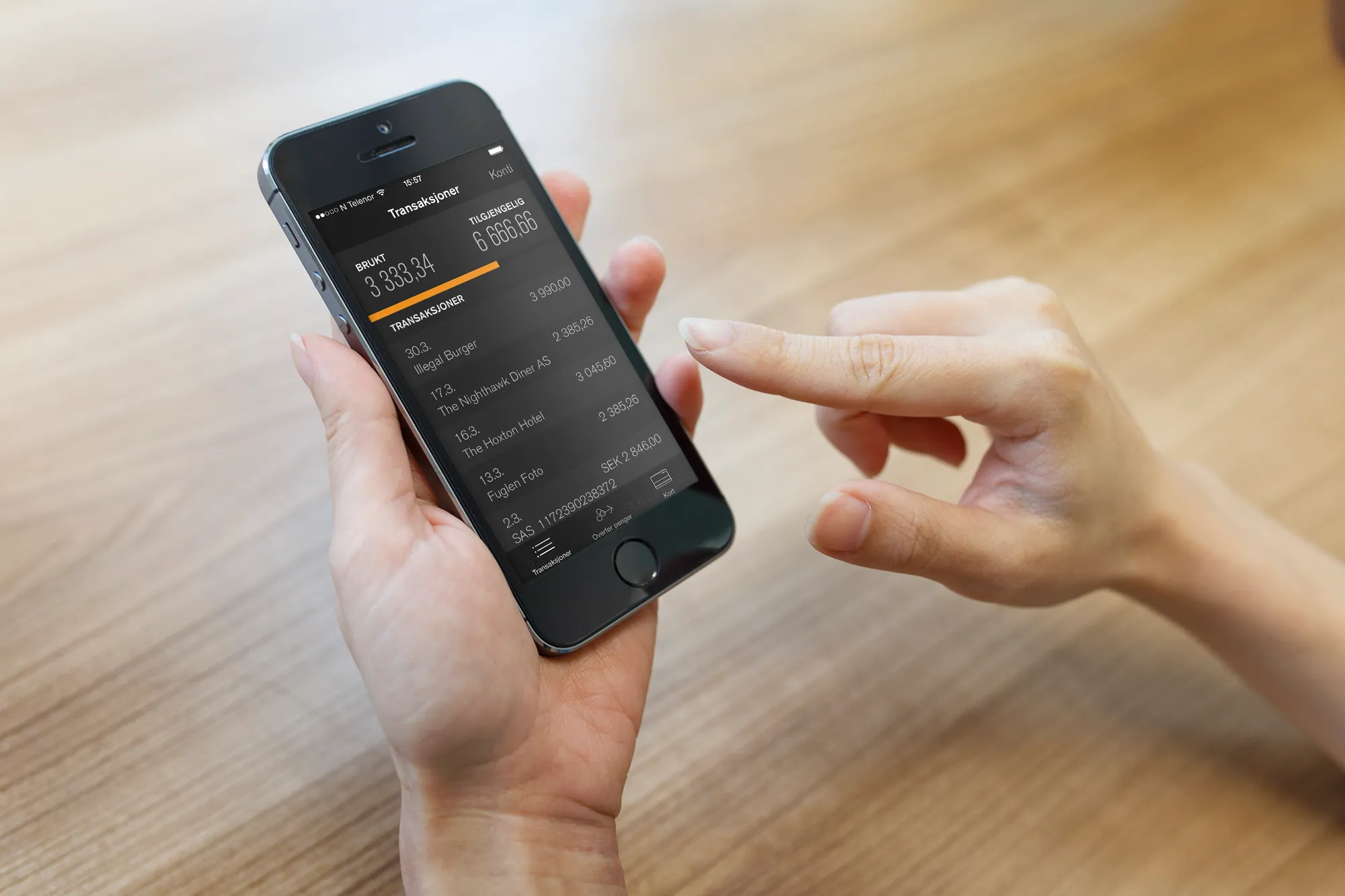
Mobile banking for re:member
With a lightning-fast credit card app using fingerprint login, the amount of logged-in customers quadrupled.

NRK TV
NRK, Norway’s largest broadcasting company, is investing heavily in offering options for streaming their content online. Schjønhaug AS helped develop the NRK TV app which is available for use on Apple TV.
Frequently asked questions
Do you build native Android apps or cross-platform?
We usually recommend native development in Kotlin when performance, accessibility, and platform features matter. Where it reduces maintenance, we share concepts, API contracts, and UI components between iOS and Android.
Can you take over an existing Android app?
Yes. We start by reviewing the codebase, Gradle setup, dependencies, and release routines, then propose a plan for what to improve first.
Do you help with Google Play publishing?
Yes. We set up signing, testing tracks, automated builds, and staged rollouts in Google Play so new versions can be released safely and gradually.
Do you use Jetpack Compose or XML layouts?
New screens are built in Jetpack Compose. In older apps, Compose and XML layouts can live side by side, and we migrate when it pays off.
Can one app serve several brands?
Yes. With a shared codebase and per-brand configuration, several apps can share features and fixes while each brand keeps its own look and feel.
Related technologies
Part of the service: Web and app development
iOS development
Native iOS and tvOS apps in Swift and SwiftUI, from new products to the continued development of established apps with millions of users.
Read moreReact and Next.js
Websites and web apps in React and Next.js with TypeScript, from new products to design systems and several brands from one codebase.
Read moreNeed help with Android?
Tell us briefly about the product, the team, or the system. We will respond with a practical suggestion for the next step — a complete delivery, senior capacity in your team, or technical advice.
- Phone
- +47 920 50 946
- Location
- Oslo, Norway